Reporting

Real Excel output, six sheets.

One tap exports the KPI dashboard, production, processes, stoppages, faults and staff across six sheets — with start/end dates in separate columns. Open it on desktop or straight from the phone.

On the computer
On the phone
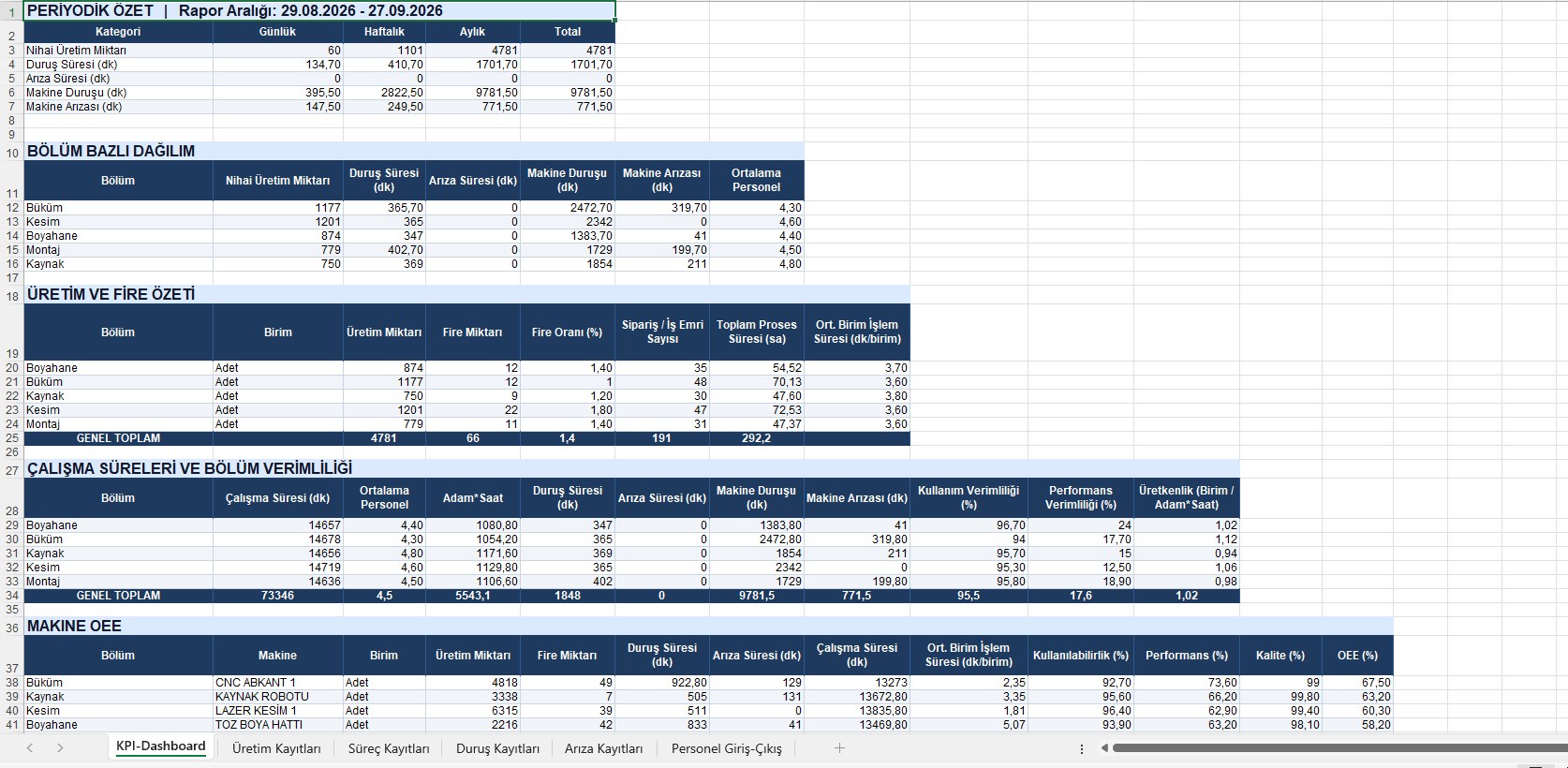
Production_Tracking_Report_270926.xlsx
KPI dashboard — manuflo Excel production report (desktop)
KPI dashboardProduction, stoppage, fault and machine OEE totals in one sheet.
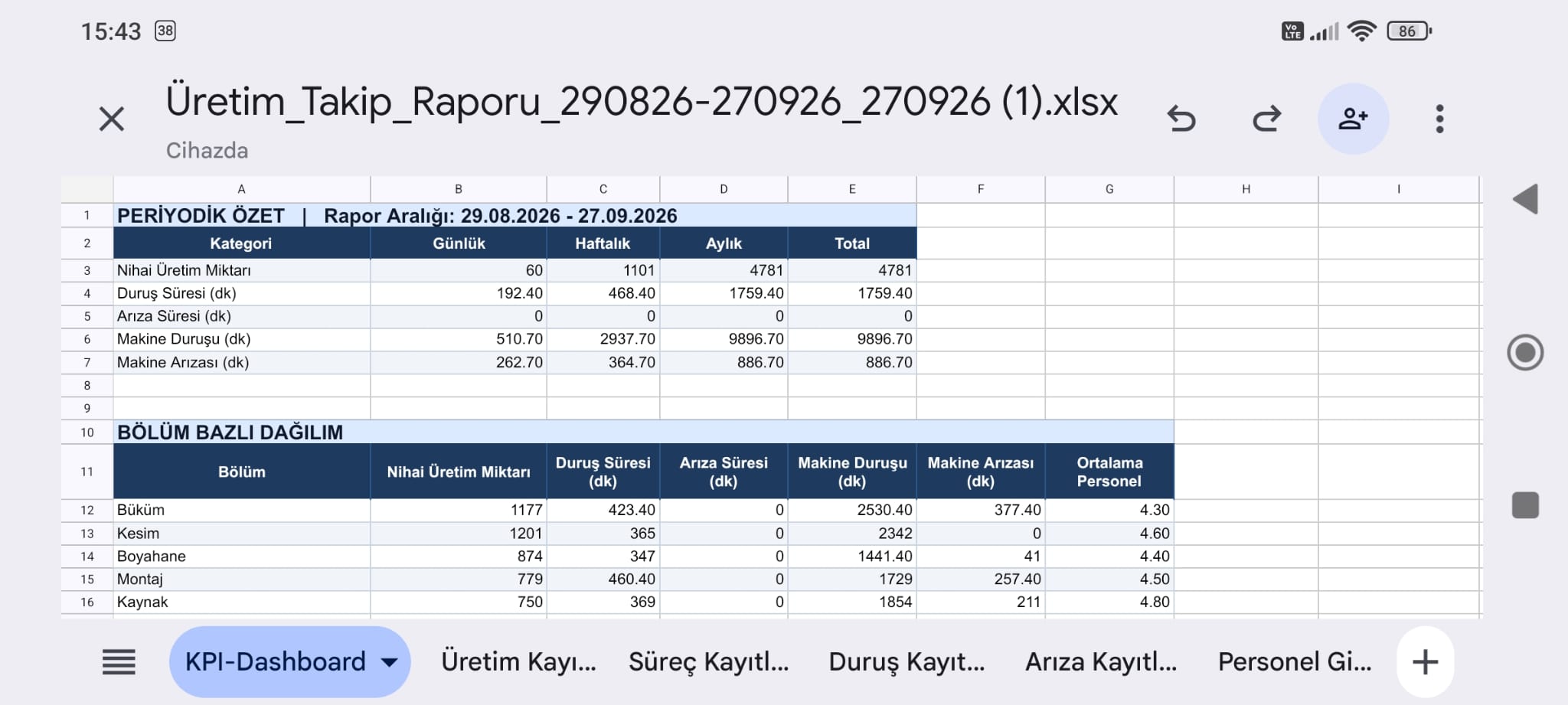
KPI dashboard — manuflo Excel production report (phone/tablet)
KPI dashboard
Production_Tracking_Report_270926.xlsx
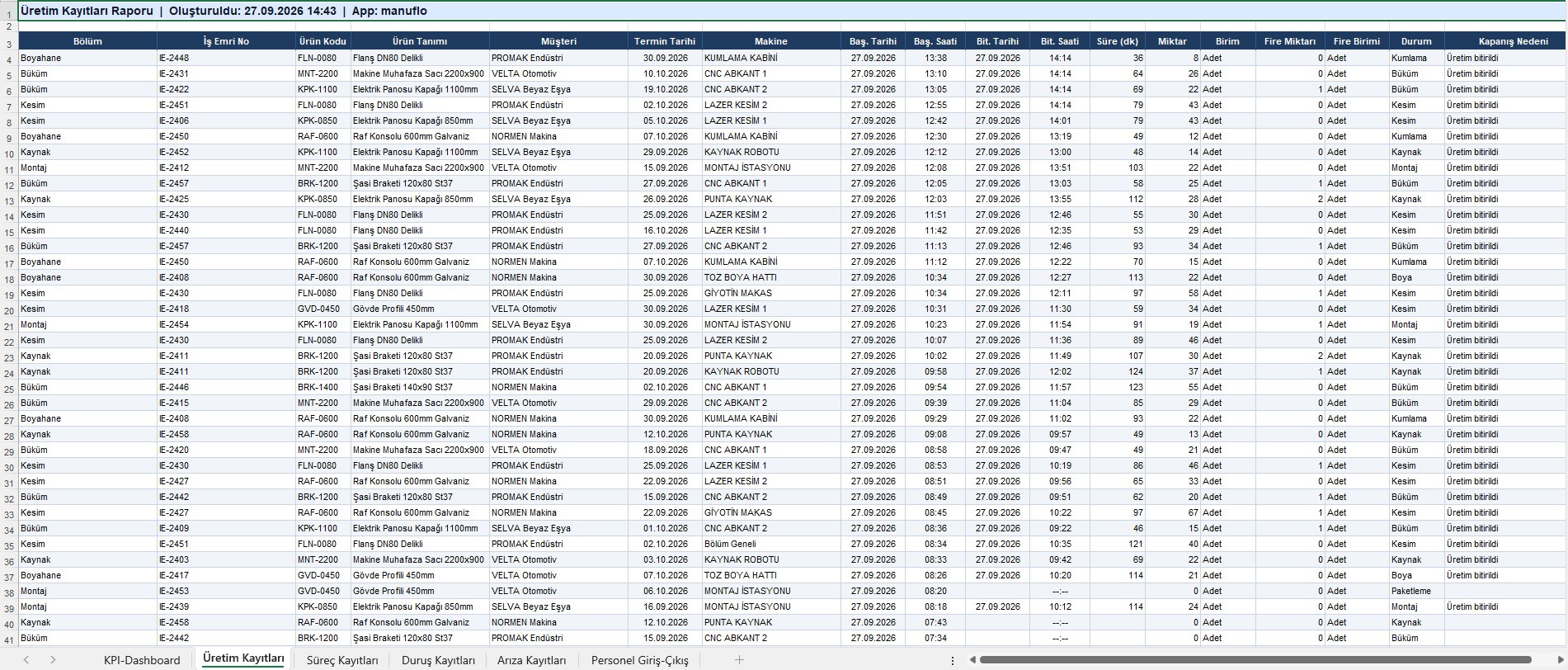
Production records — manuflo Excel production report (desktop)
Production recordsEvery work order with start/end dates, times and produced quantity, row by row.
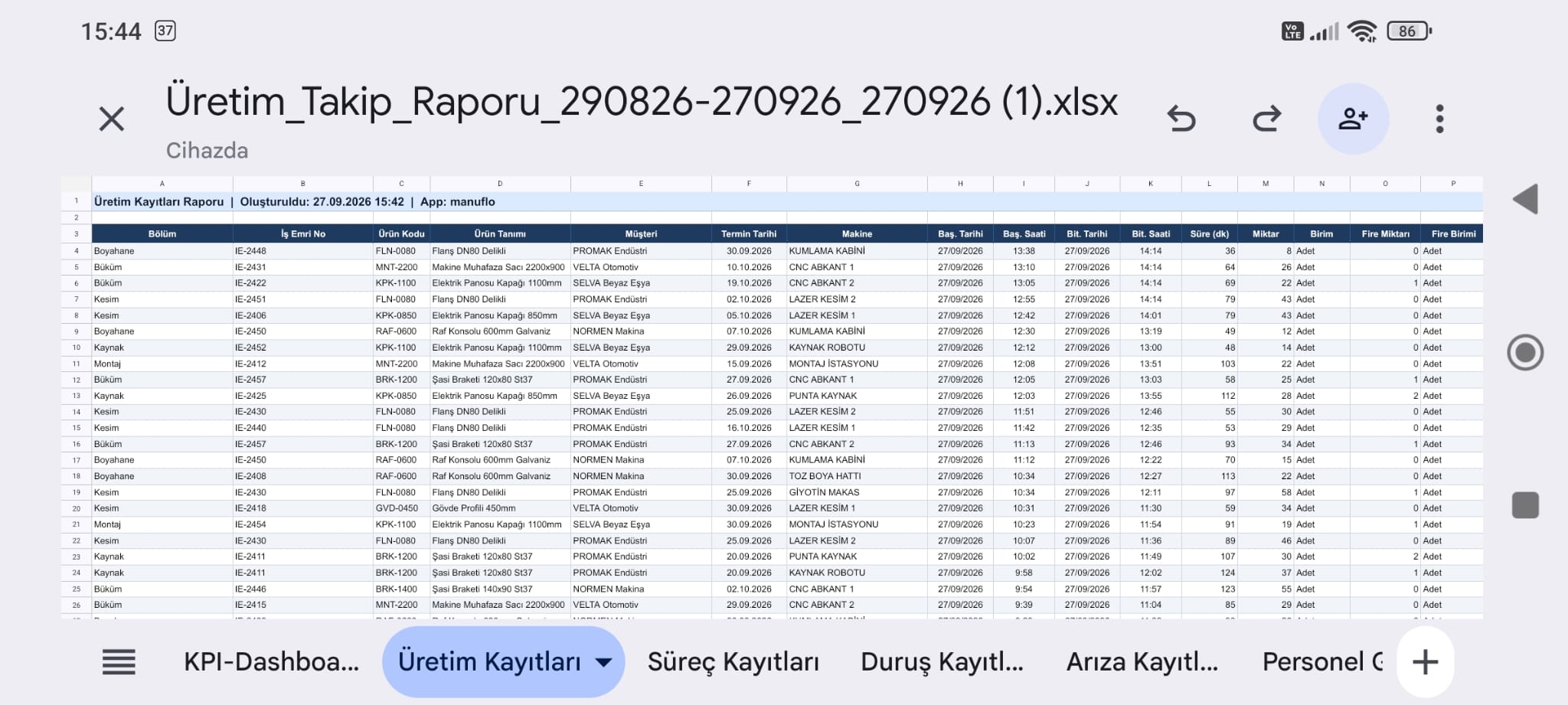
Production records — manuflo Excel production report (phone/tablet)
Production records
Production_Tracking_Report_270926.xlsx
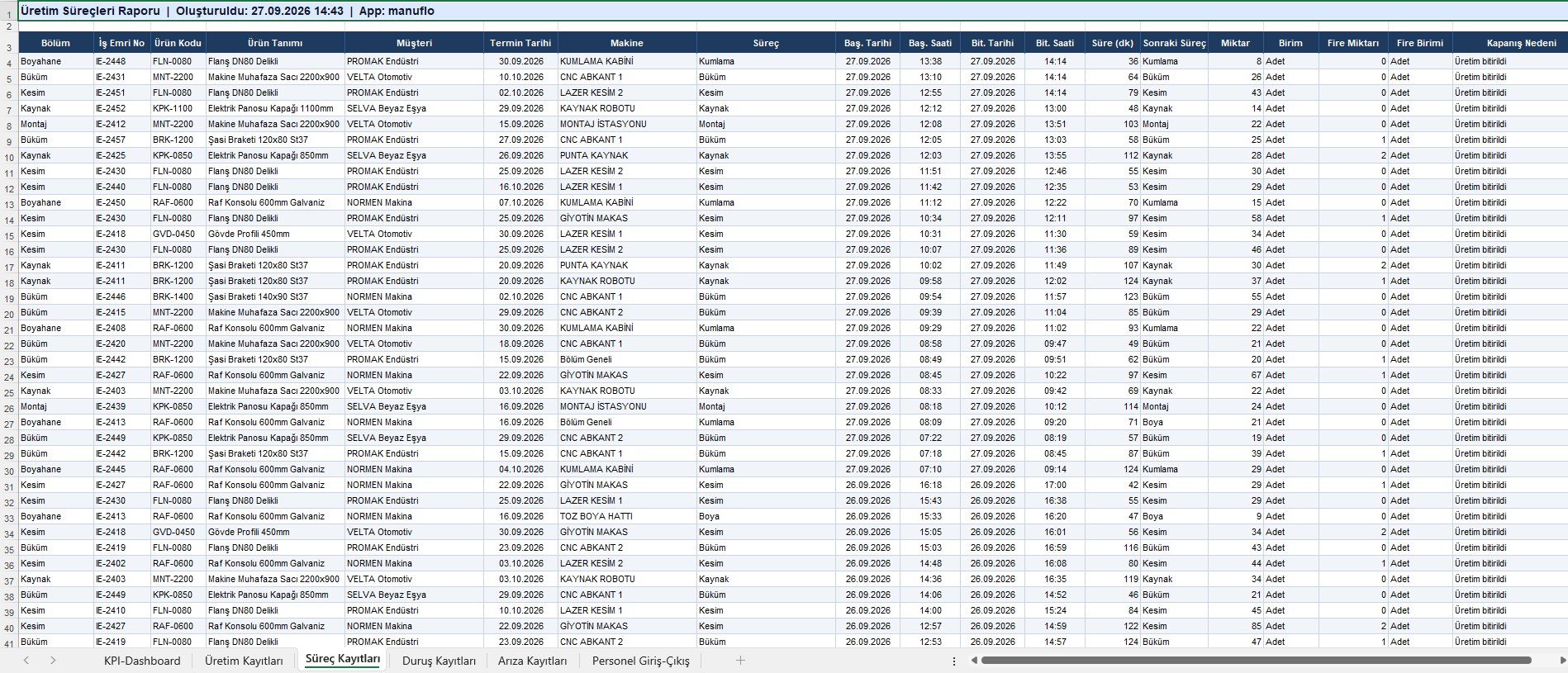
Process records — manuflo Excel production report (desktop)
Process recordsEvery work order step by step: which machine, how long, and the next process.
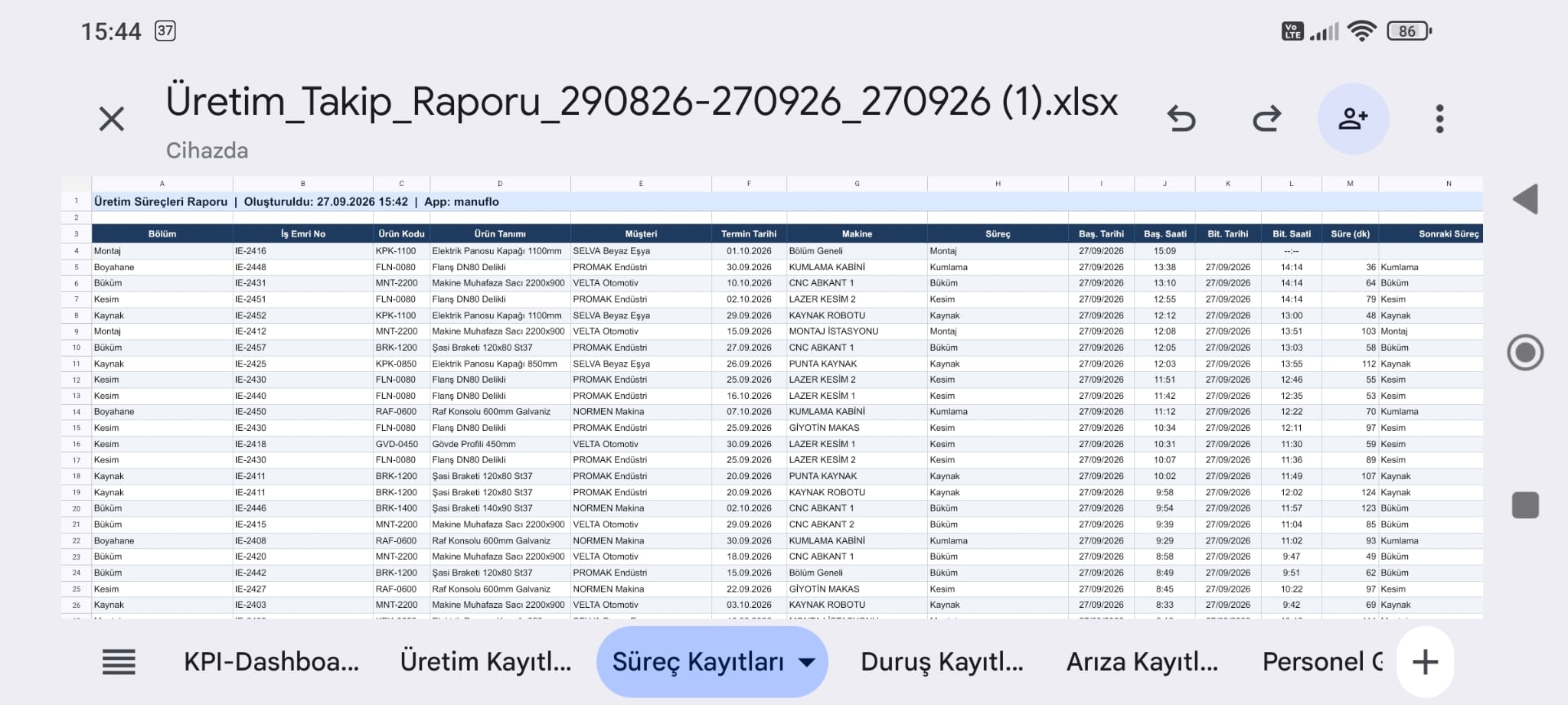
Process records — manuflo Excel production report (phone/tablet)
Process records
Production_Tracking_Report_270926.xlsx
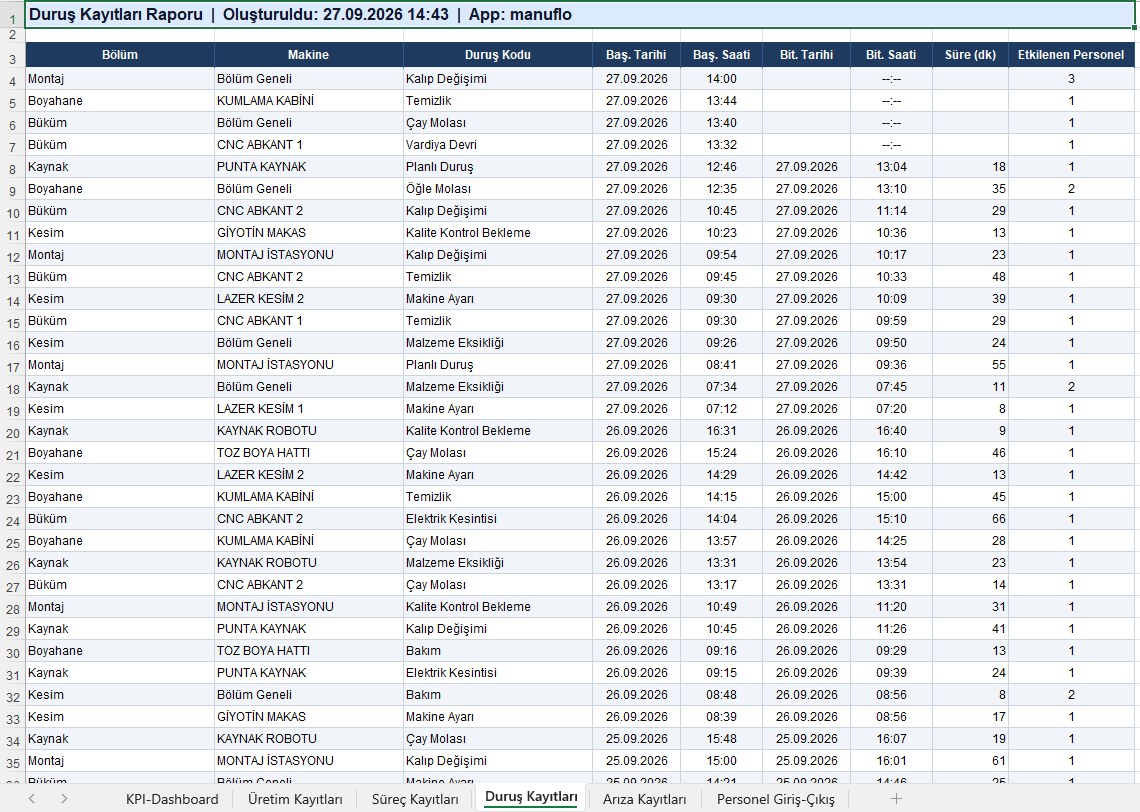
Downtime records — manuflo Excel production report (desktop)
Stoppage recordsStoppage reason, machine, duration and the number of people affected, row by row.
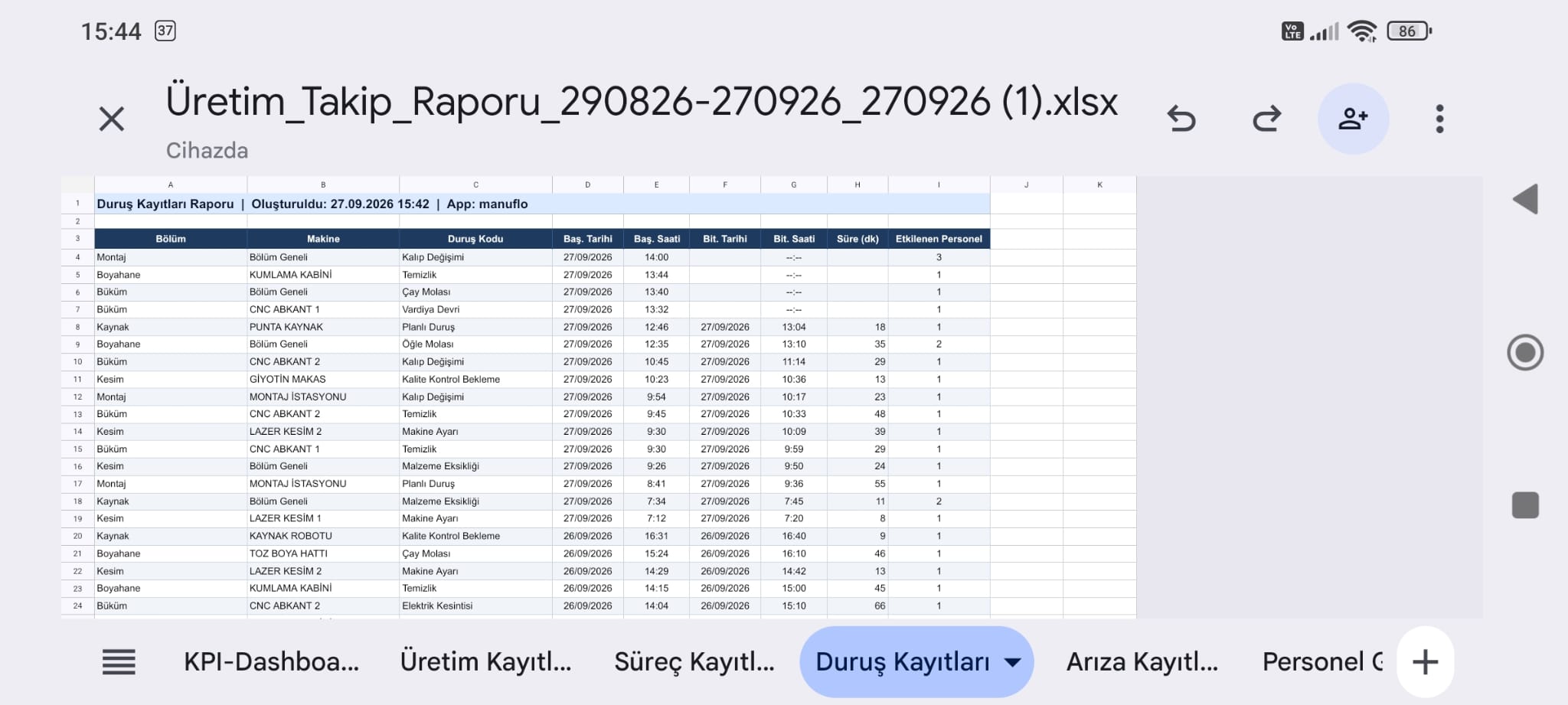
Downtime records — manuflo Excel production report (phone/tablet)
Stoppage records
Production_Tracking_Report_270926.xlsx
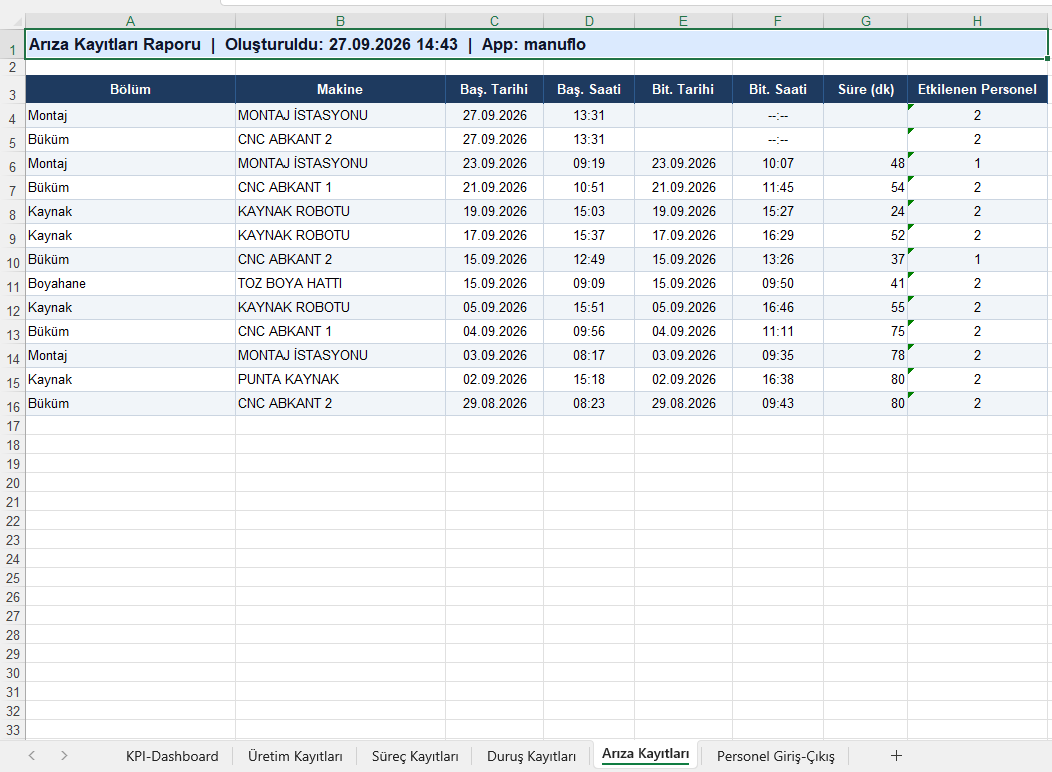
Breakdown records — manuflo Excel production report (desktop)
Fault recordsFaulty machine, start/end time and downtime in a single table.
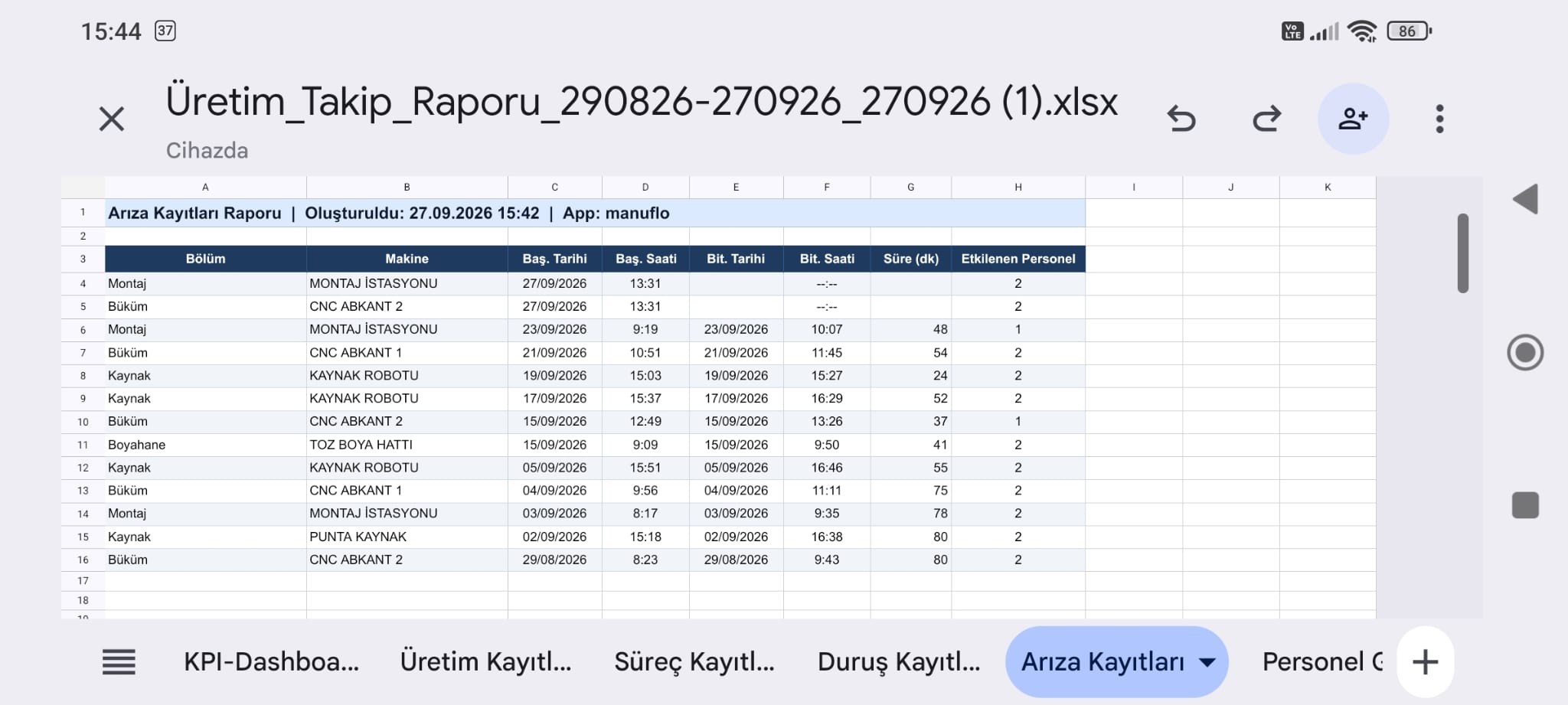
Breakdown records — manuflo Excel production report (phone/tablet)
Fault records
Production_Tracking_Report_270926.xlsx
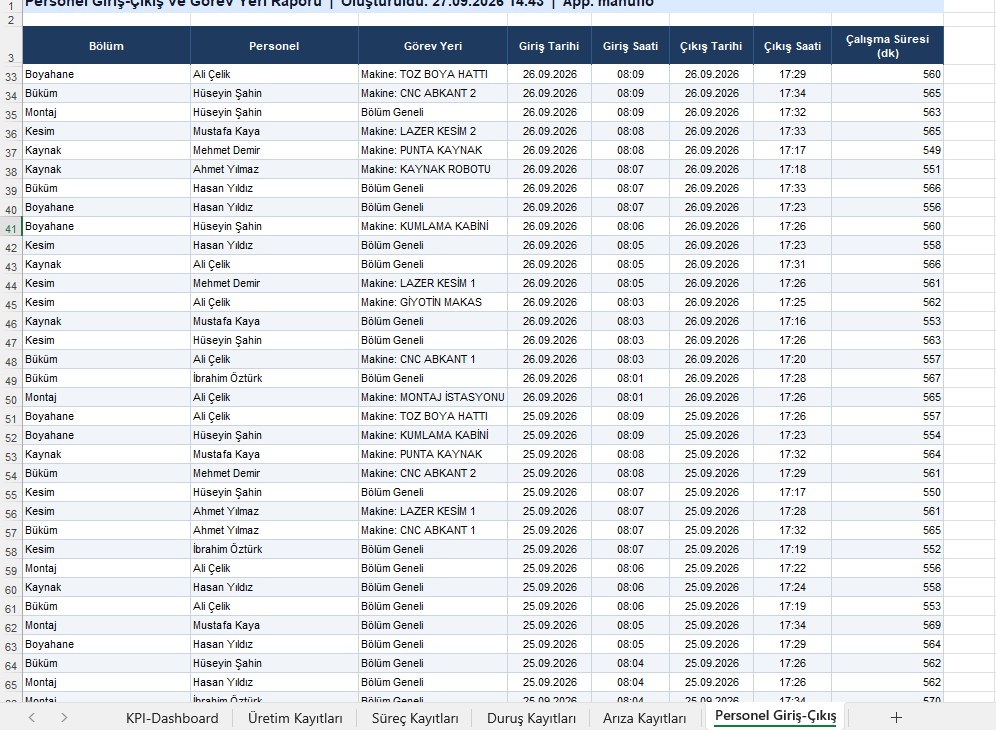
Staff attendance records — manuflo Excel production report (desktop)
Staff check-in/outWho worked in which department, on which machine, and for how many minutes.
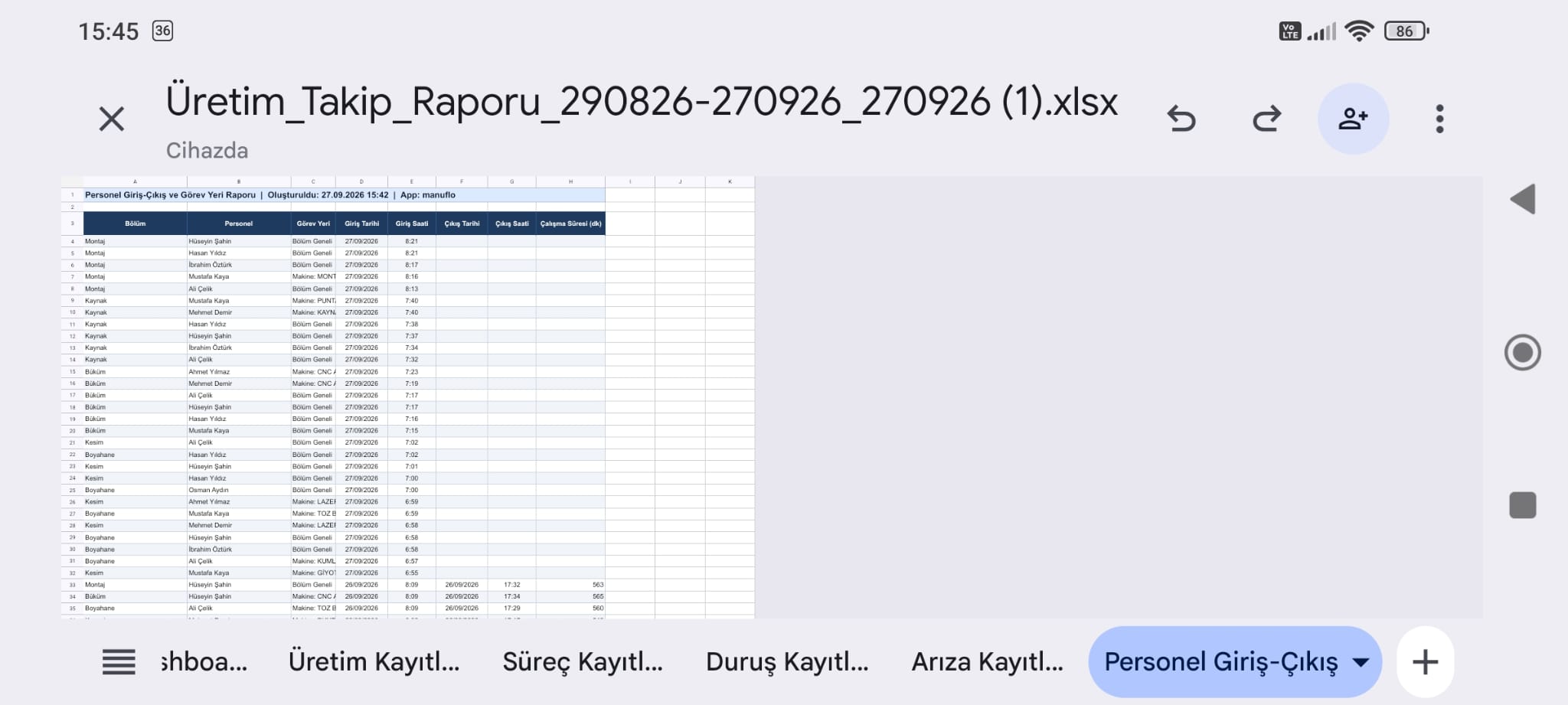
Staff attendance records — manuflo Excel production report (phone/tablet)
Staff check-in/out

Tap a report to view it larger.